
Add materials (your stock library)
The substrates and media you consume, in real units at real prices.
What this is for
Materials are the things a job consumes — ACM sheets, vinyl rolls, laminate, ink. Sign OS prices from what a job actually uses, so getting your materials and their prices right is what makes quotes accurate.
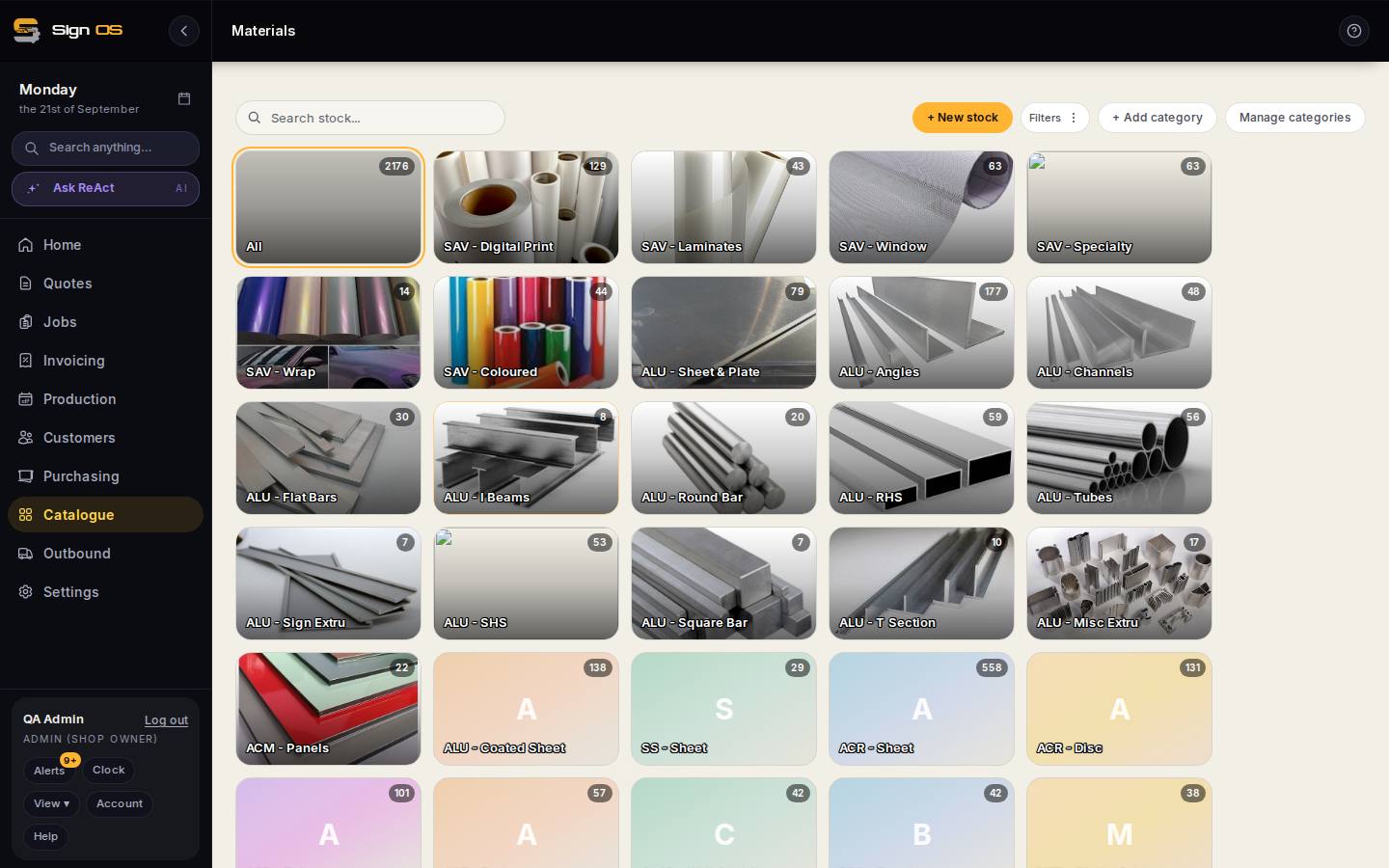
What is on this screen
Each part of the screen above, top to bottom, and what changing it affects.
Materials list
- + New stock
- A material by name; sizes and costs come next.
- + Add category · Manage categories · family tiles
- Group by substrate — ACM panels, SAV digital print, aluminium sheet. The tiles filter the list.
- Search · Filters
- Search across names, your stock numbers, groups, suppliers and notes.
- Scope · Item · Groups · List rate
- Scope is Global (shared catalogue) or Shop (yours). List rate shows each size and its cost per purchase unit. Click a row to edit.
A size card
- Width · Length/Depth · Height/Thickness · Size label
- The sheet or roll size and gauge. A material can have many sizes; a product ticks the ones it may use.
- Purchase cost · Purchase unit · Sell unit
- What you pay, for what (a sheet, a roll, a lineal metre), and the unit you quote in. Sell cost is worked out from the purchase cost and the unit conversion.
- Override conversion ratio
- When the unit maths between purchase and sell unit is not the standard one.
- Supplier quotes — supplier · cost · SKU · ship from · lead days · purchase requirement
- Who you buy this size from and at what price. The default supplier quote is where the cost actually comes from; a size with no supplier quote prices at nothing.
- Quantity on hand · On order · Reorder level
- Stock levels and the point at which it shows on reorder suggestions.
Before you start
- Helpful: add the supplier first so you can link it.
Step by step
- 1
Open Catalogue → Materials from the sidebar.
- 2
Click + New stock and give it a clear name.
- 3
Add a size, then set the purchase unit you buy it in — a sheet, a roll, a lineal metre — the purchase cost you pay for that unit, and the sell unit you quote in.
- 4
Under Inventory, suppliers & sizes, add a supplier quote so the size is linked to who you buy it from. Use categories (+ Add category / Manage categories) to group it, e.g. by substrate.
- 5
Save. The material is now available to use inside product recipes and quotes.
Tips & gotchas
- Price in the unit you actually buy — a whole sheet or a full roll — not the finished area. Waste and offcuts are where under-quoting starts.
- Keep prices current. A stale material price quietly eats your margin on every quote that uses it.