
Set up common sizes
Reusable standard sizes that speed up quoting.
What this is for
Common sizes are your go-to dimensions — the standard panels and banners you make again and again. Saving them means you pick a size from a list instead of typing dimensions every time you quote.
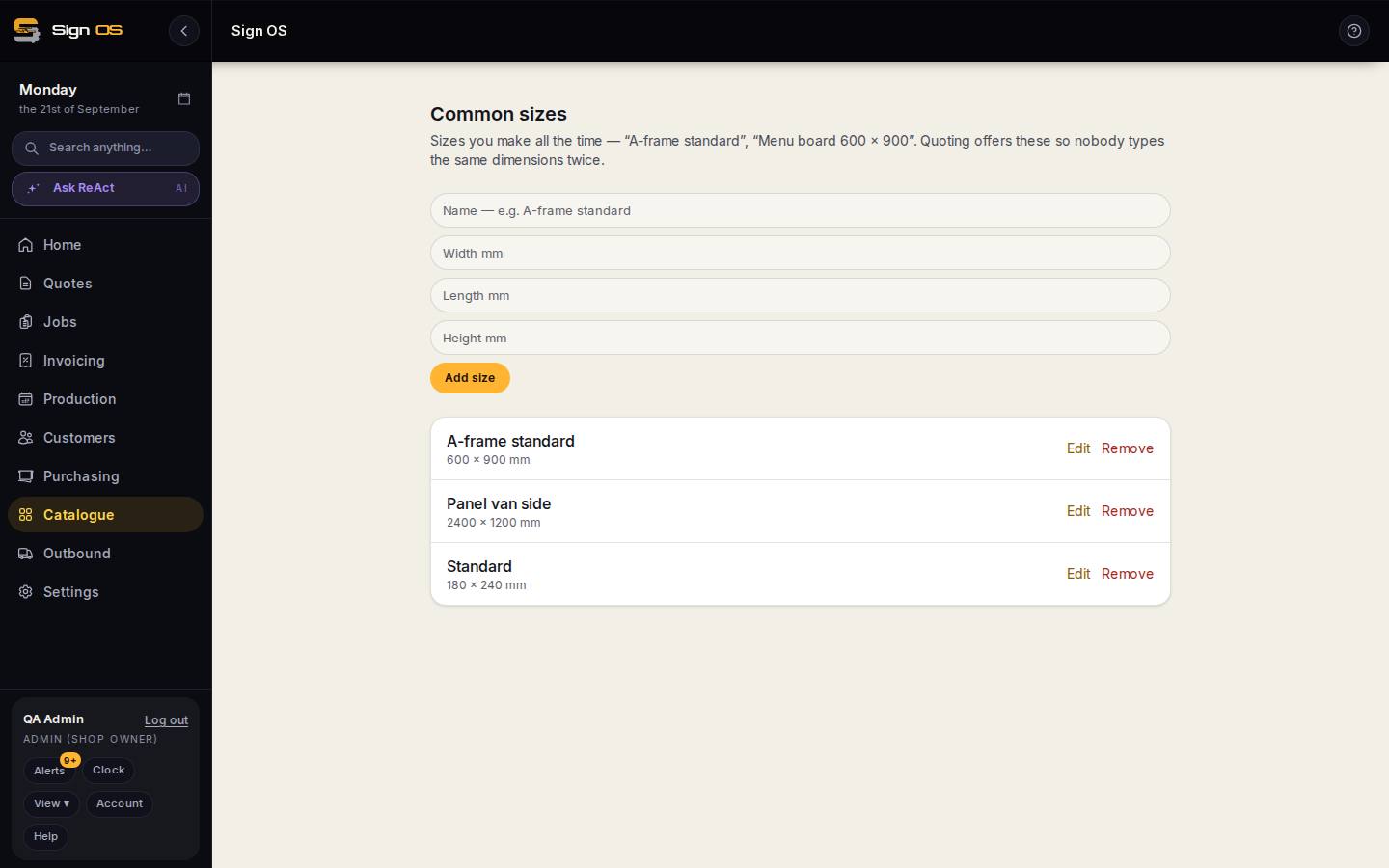
What is on this screen
Each part of the screen above, top to bottom, and what changing it affects.
- Add size
- Name, width and length (and height if it matters) in millimetres.
- The list — Edit · Remove
- Every saved size. Quoting offers these on a product line so nobody types the same dimensions twice; removing one does not change quotes already priced at it.
Before you start
- You are signed in with catalogue access.
Step by step
- 1
Open Catalogue → Common sizes from the sidebar.
- 2
Give it a Name you will recognise, enter the Width mm, Length mm and (optionally) Height mm you use often, then click Add size.
- 3
When quoting, you can pick this size instead of entering it by hand.
Tips & gotchas
- Set up your five or ten most common sizes — it takes minutes and saves seconds on every quote after.