
The quotes list & statuses
Every quote from draft to accepted, and what each status means.
What this is for
Quotes is the shop's pipeline in one list. Each row is a quote with its customer, project name, grand total, status, the date it was created and who quoted it. Click a row to open the quote; the actions on the row let you duplicate one or delete a draft without opening it.
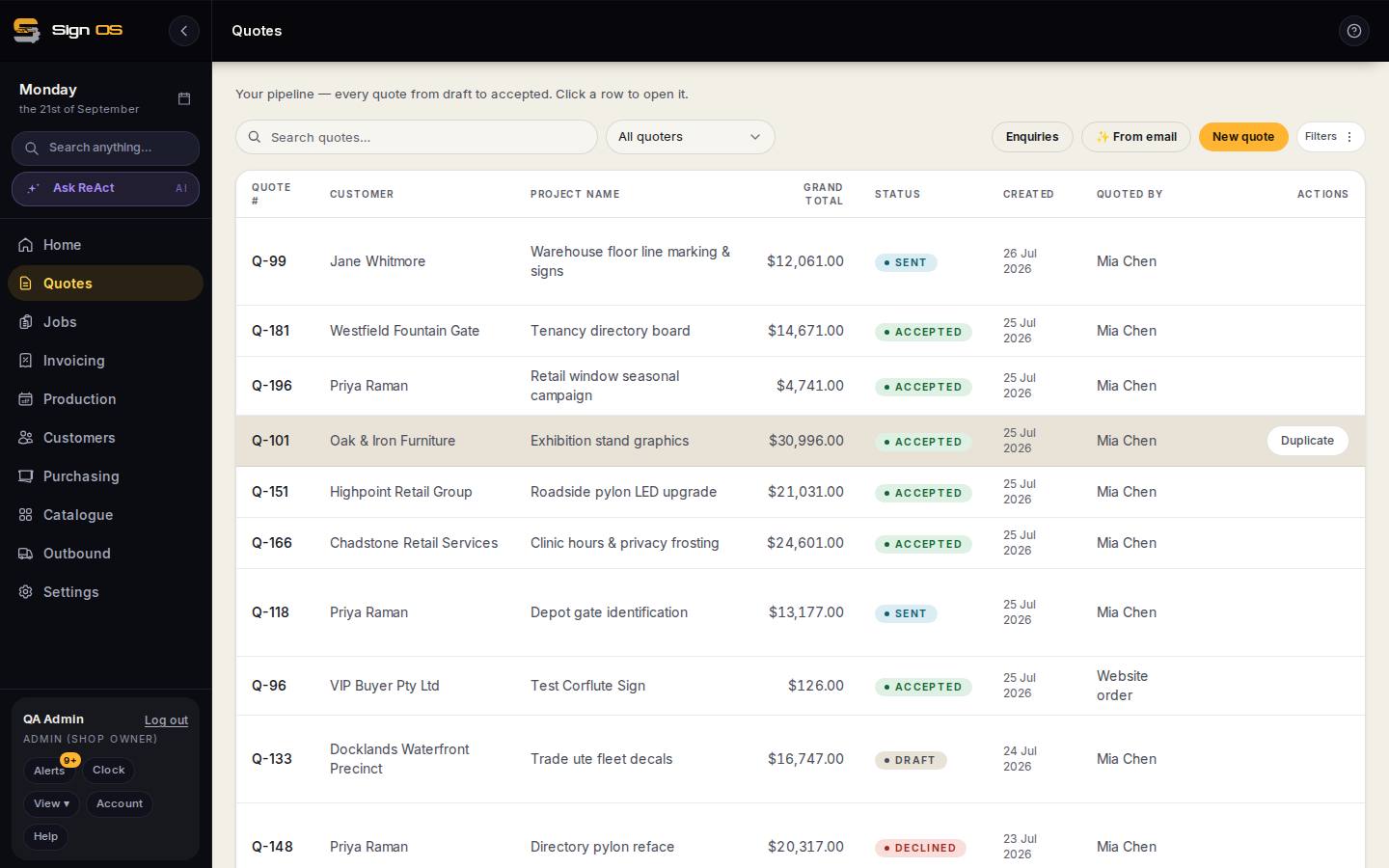
What is on this screen
Each part of the screen above, top to bottom, and what changing it affects.
- Search quotes… · All quoters · Filters
- Find by number, customer or project; All quoters switches between everyone's and your own; Filters narrows by status, date or customer.
- Enquiries · ✨ From email · New quote
- Enquiries is the inbox of web and email enquiries waiting to be quoted; From email drafts a quote from a pasted enquiry; New quote starts blank.
- Quote # · Customer · Project name · Grand total · Status · Created · Quoted by
- Status is DRAFT, SENT, ACCEPTED or DECLINED. Click a row to open the quote.
- Duplicate · Delete
- Duplicate copies a quote as a new draft for the same customer. Delete removes a draft or a dead sent quote; accepted quotes cannot be deleted.
Step by step
- 1
Open Quotes in the sidebar. The newest quotes are at the top; the list pages at 25.
- 2
Read the status: DRAFT is being built, SENT has gone to the customer, ACCEPTED has been won (and is a job), DECLINED was lost. Filters narrows the list by status, date or customer; All quoters switches between everyone's quotes and your own.
- 3
New quote starts a blank one. From email drafts a quote from an enquiry email. Enquiries opens the inbox of web and email enquiries waiting to be quoted.
- 4
Duplicate on a row copies a quote as a new draft for the same customer — the fastest way to quote a repeat order. Delete removes a draft or a sent quote that never went anywhere; accepted quotes cannot be deleted.
Tips & gotchas
- A quote's Q number never changes and is never reused, so it is safe to quote it to the customer.
- Sent quotes with no answer after seven days show up on the Home screen under Follow-ups. A follow-up automation can chase them for you.