
When & where — dates, fulfilment and delivery
The dates the job needs, and whether it is installed, delivered or picked up.
What this is for
The When & where section captures everything around the making: when the client needs it, when production has to finish, whether the work is installed, delivered or picked up, and the details of that. None of it is needed to send the quote — it is confirmed when the quote is accepted and feeds the production schedule from there.
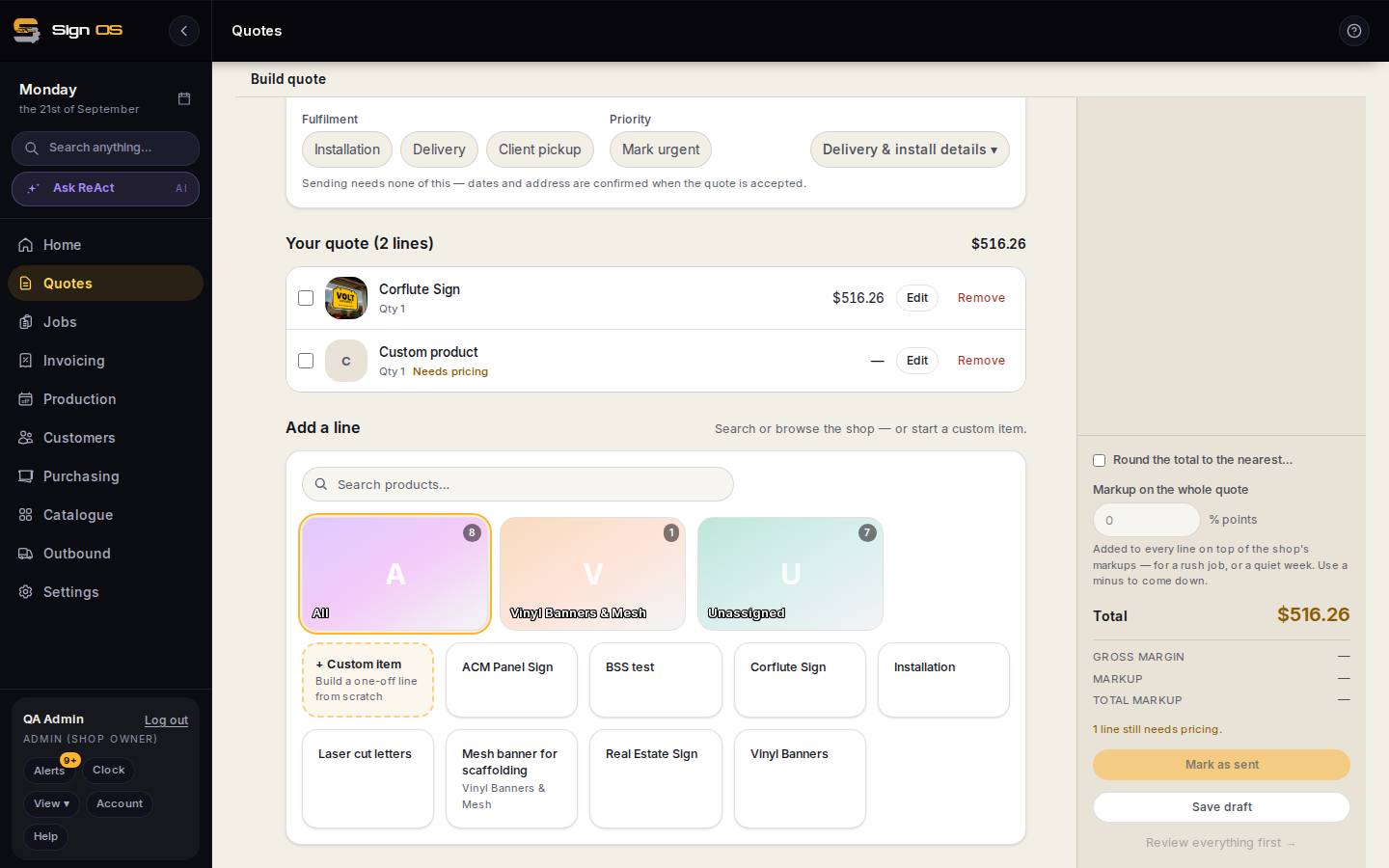
What is on this screen
Each part of the screen above, top to bottom, and what changing it affects.
When & where
- Client needs it by · Finish production by
- The customer's date and the date production must finish. Not needed to send; required to accept, because the schedule is built back from them.
- Fulfilment — Installation · Delivery · Client pickup
- How the finished work reaches the customer. A line can set its own under its Advanced.
- Priority — Mark urgent
- Moves the job up the production board, prints URGENT on the job sheet, and adds the shop's rush charge if one is set.
- Delivery & install details ▾
- Site address, access, carrier and consignment details, anything the driver or installer needs.
Step by step
- 1
On the quote, open When & where under the customer section.
- 2
Set Client needs it by and Finish production by. Sending needs neither; both are required before the quote can be accepted, because the job's schedule is built from them.
- 3
Pick the Fulfilment: Installation, Delivery or Client pickup. Mark urgent sets the priority.
- 4
Open Delivery & install details for the site address, access, carrier and anything the installer or driver needs to know.
- 5
A line can follow the project's fulfilment or set its own under the line's Advanced — one sign delivered, another installed, on the same quote.
Tips & gotchas
- If your shop shows delivery as its own line on quotes (Settings → Money → Quotes & invoices), the carrier chosen here is what that line names.
- Review & send warns you when dates or fulfilment are missing. Send anyway if the customer is still deciding; fill them in at acceptance.