
Receive a delivery, and fix it when it is wrong
Book in what arrived, undo a mistake, close an order short, or split what is still coming.
What this is for
Receiving tells Sign OS what is actually on your shelf. Half a delivery, a mis-typed quantity, or a line the supplier will never send — all of it has a way out that keeps your stock figures honest instead of quietly wrong.
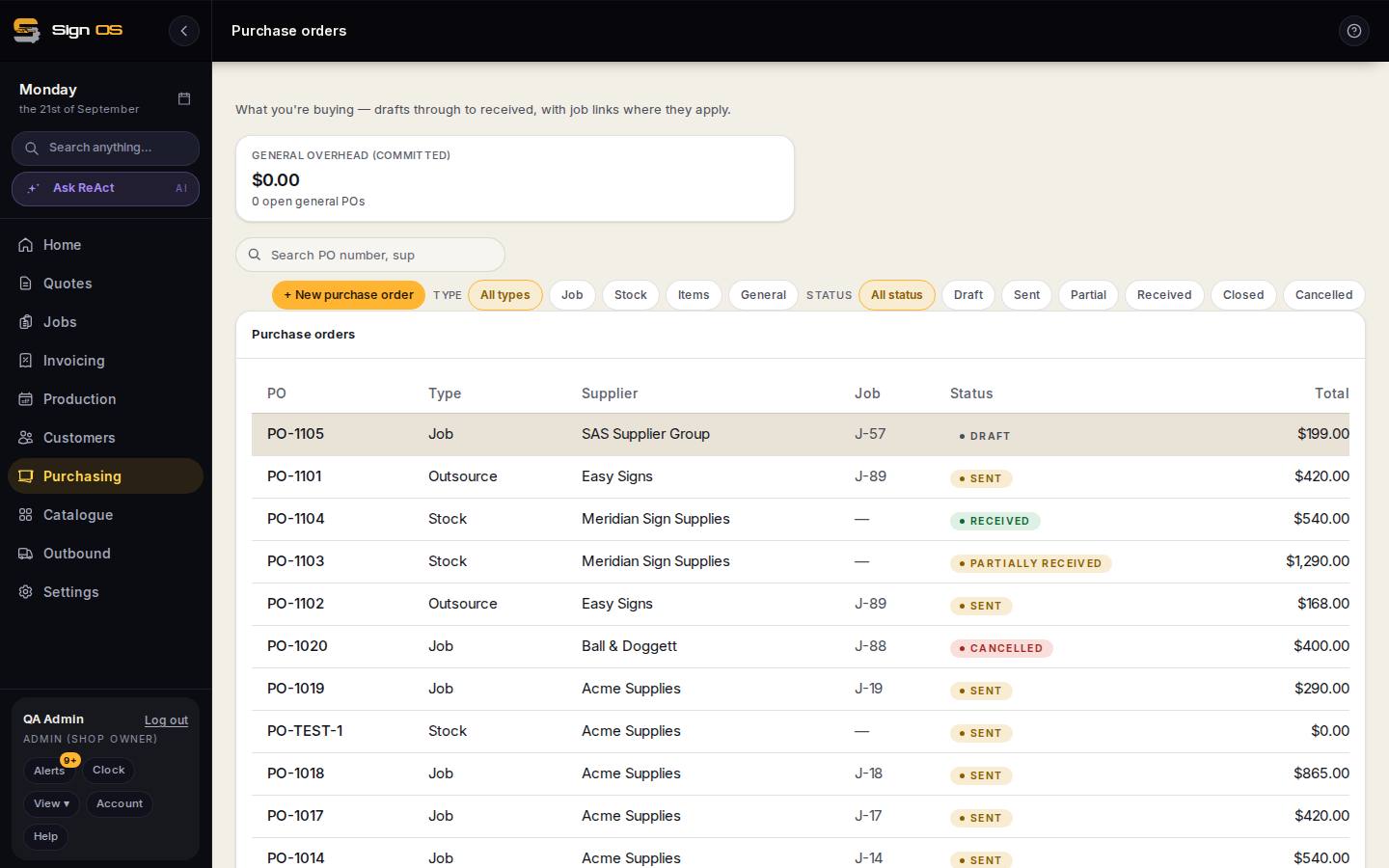
What is on this screen
Each part of the screen above, top to bottom, and what changing it affects.
On the purchase order
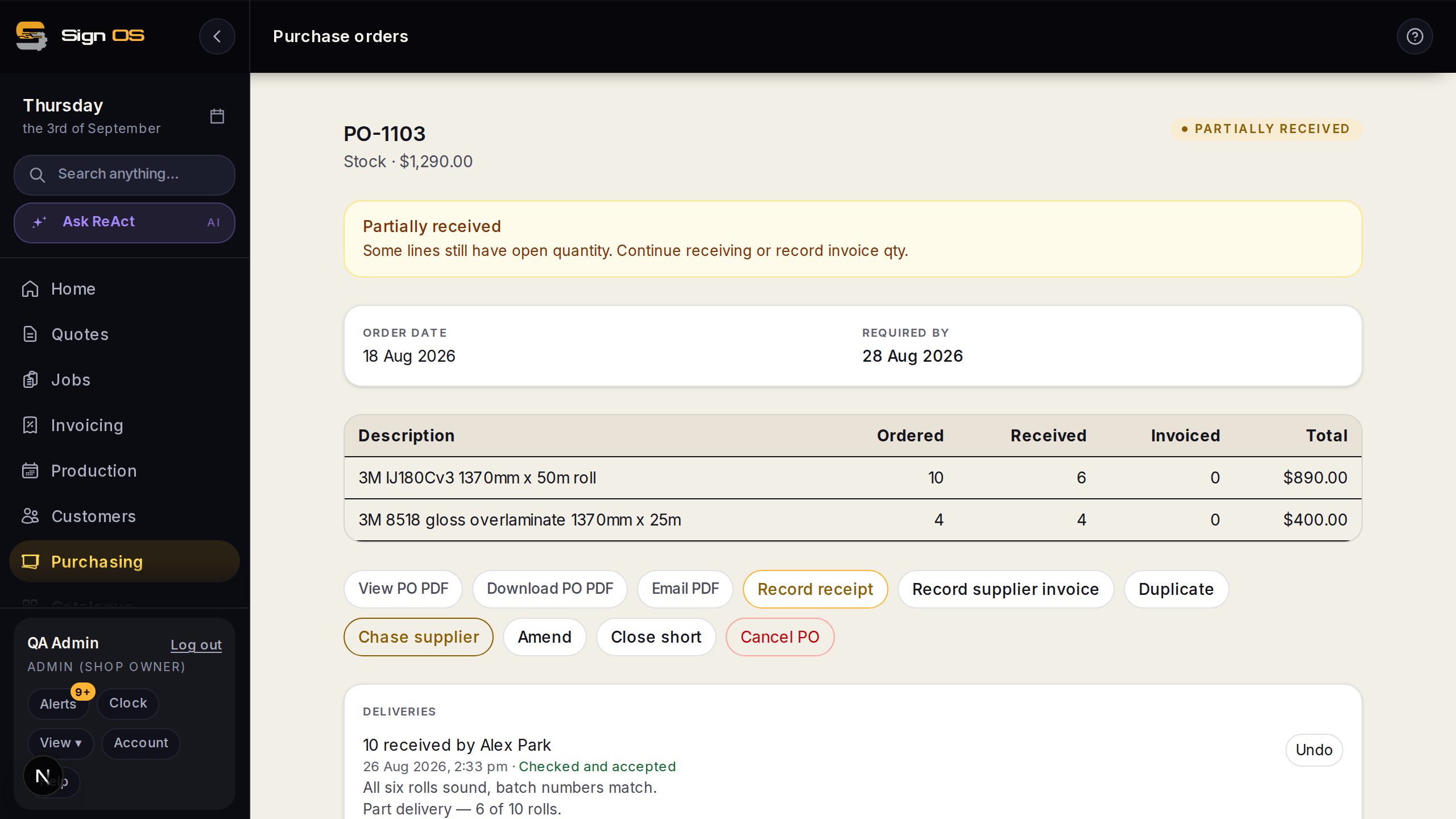
- Record receipt — quantity per line · location
- What actually turned up; six of ten leaves four outstanding. Each line can say which stock location it went into.
- Undo receipt
- Reverses a receipt typed wrong.
- Close short
- Closes the order at what arrived; the remainder stops counting as on order.
- Split to backorder
- Closes the original and carries the balance on a new order with its own dates and history.
Before you start
- The purchase order has been sent to the supplier.
Step by step
- 1
Open the purchase order and click Record receipt.
- 2
Enter what actually turned up, line by line. Received six of ten? Put in six. The order stays open with four outstanding.
- 3
Typed the wrong number? Use Undo receipt on that receipt.
Note: Undo does not erase history. Both movements stay on the stock record — the six in and the six back out — because the shelf really did change twice.
- 4
Supplier says the rest is never coming? Use Close short. The order closes at what actually arrived and stops counting the remainder as on order.
- 5
Rest coming later on its own delivery? Use Split to backorder. The original closes and a new order carries the balance, keeping its own dates and history.
Tips & gotchas
- Receive as deliveries land, not at the end of the week. Your on-order figures are only as good as the last time somebody typed one in.
- Where a shop keeps stock locations, each line can say which one it went into.
- Receiving goods is not the same as checking them — see Check a delivery before you pay for it.