
Talk to build a product
Describe a product in your own words and get a working recipe back.
What this is for
Talk to build is the fast way into the catalogue. Describe the product the way you would explain it to a new starter — out loud or typed — and Sign OS builds the recipe: the material, the processes, the labour. Every draft is priced on the real engine before you see it, so a recipe that would come out at $0 never reaches you.
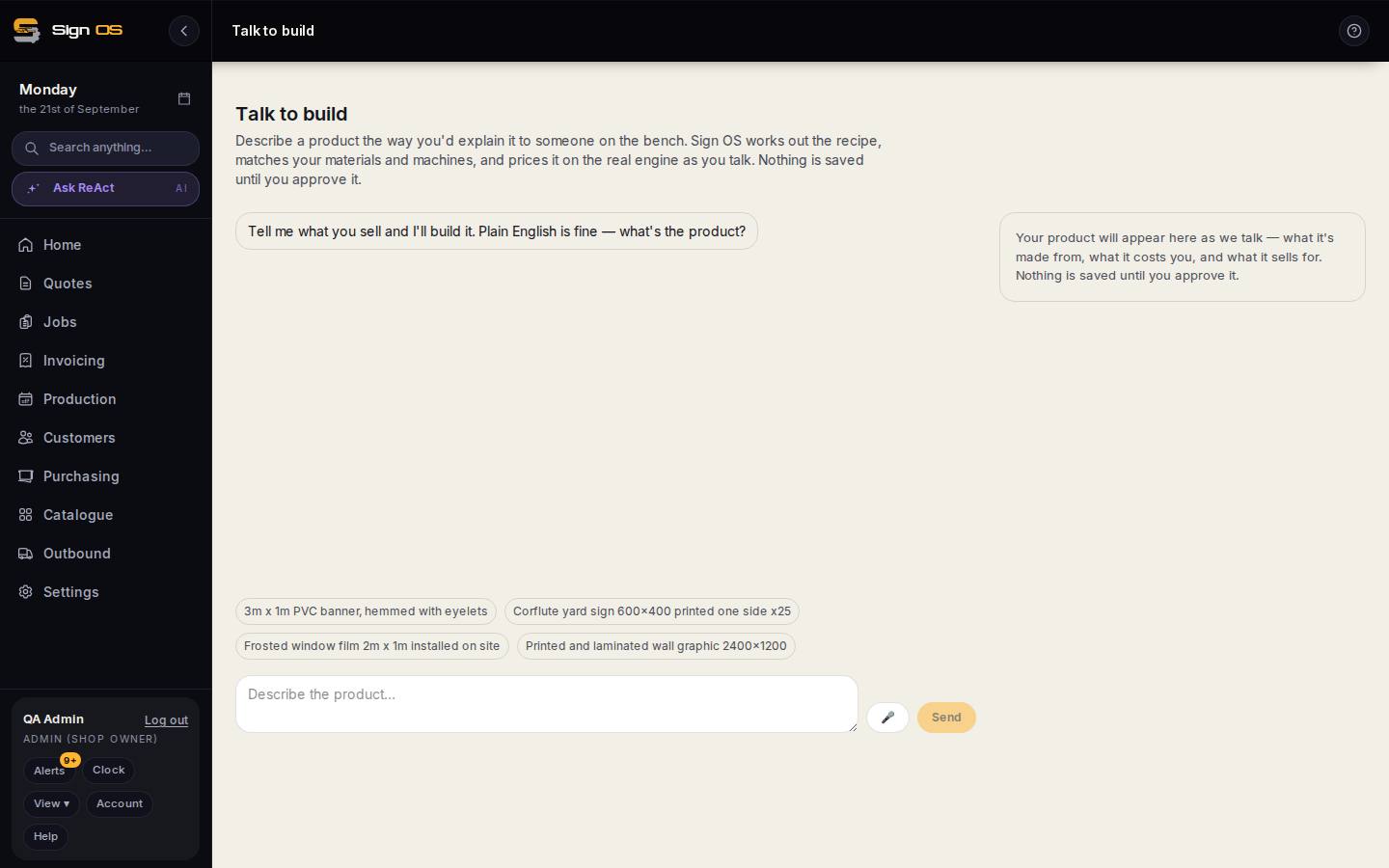
What is on this screen
Each part of the screen above, top to bottom, and what changing it affects.
- The description box · 🎤 · Send
- Say or type the product the way you would explain it on the bench. The example prompts show the right level of detail.
- The conversation
- Follow-up questions filling gaps it could not read from your description.
- The product panel (right)
- What it is made from, what it costs you and what it sells for, priced on the real engine as you talk. Made from names your catalogue rows; Worth checking flags guesses.
- Approve · Find it in Products
- Nothing is saved until you approve. Then it is a product like any other.
Before you start
- The materials, items and machine rates the product uses are already in your catalogue.
- The AI assistant is switched on for your shop.
Step by step
- 1
Open Catalogue → Talk to build.
- 2
Describe the product. Click Start dictation and say it, or type it — 'a printed and laminated banner on 440gsm, hemmed and eyeleted every 500mm' is the right level of detail.
- 3
Answer the follow-up questions it asks. It is filling in the gaps it could not read from your description.
- 4
Read the summary: Made from tells you which of your catalogue rows it used, and Worth checking flags anything it guessed at.
Note: Worth checking is the part to actually read. Where your catalogue does not have the right row, it falls back to a sensible default for that kind of product — which may not be what you meant.
- 5
Approve it, then use Find it in Products to open the finished product and check its price at a couple of real sizes.
Tips & gotchas
- It builds a product, not a quote. Once the product exists, quoting it is a normal premade line.
- Fabricated work — lightboxes, neon, built-up letters, tactile signage — often cannot resolve yet, because the acrylic, extrusion and LED rows it needs do not have sell units set. Build those materials properly first and it works far better.
- Approved products open in the full process editor, not back in the sentence builder — so make bigger changes there.