
Track work that has left the building
One board for every step at a supplier, and who is late.
What this is for
Once work leaves your shop it stops being visible on the floor — nobody walks past it. The outsource board is the one screen that shows every step currently with a supplier, what stage it is at, and which ones are past the date they promised.
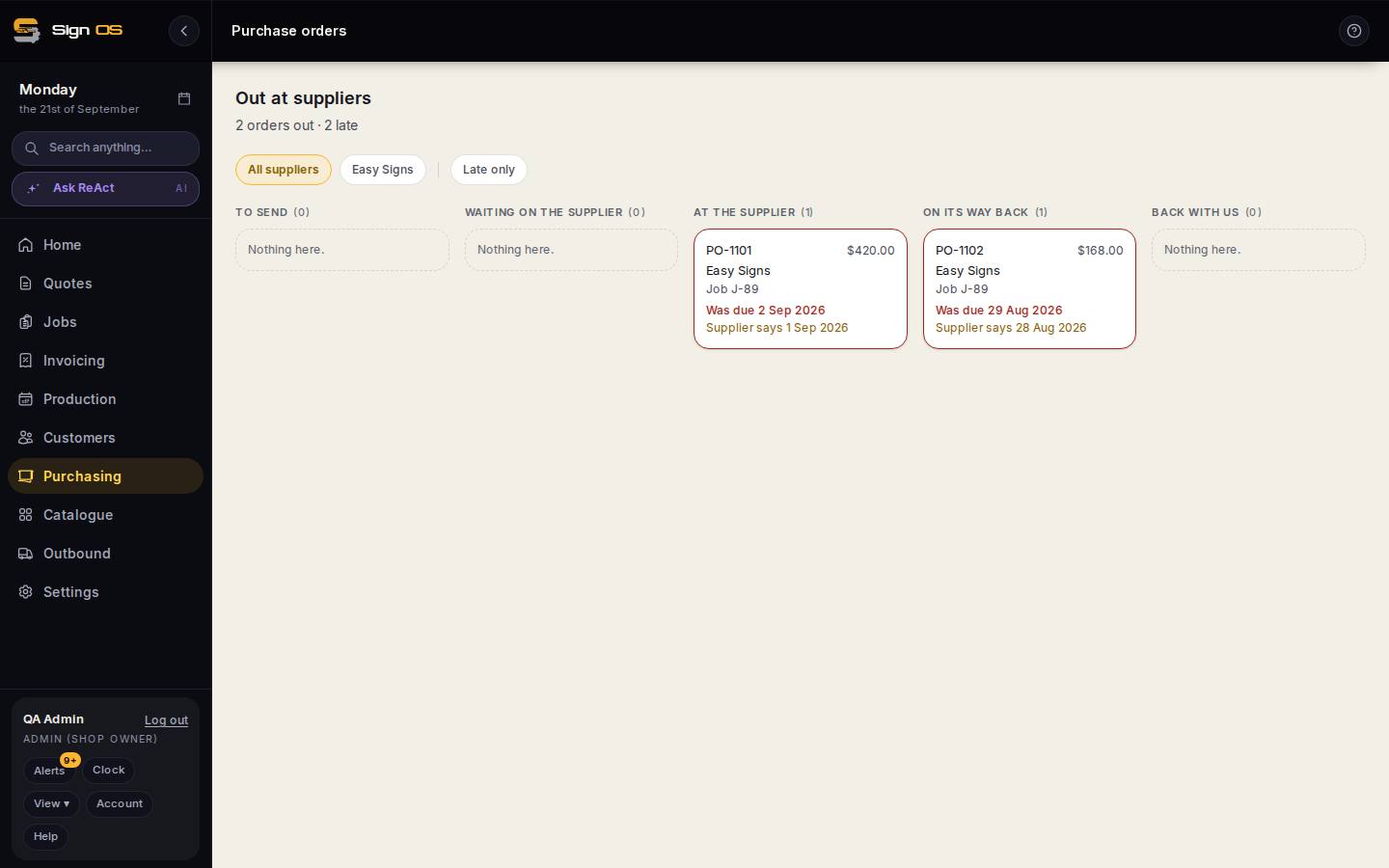
What is on this screen
Each part of the screen above, top to bottom, and what changing it affects.
Out at suppliers
- Summary · All suppliers · Late only
- How many orders are out and late; filter by supplier or to late only.
- To send · Waiting on the supplier · At the supplier · On its way back · Back with us
- Columns a job step moves across as the supplier answers: nothing sent yet, sent but unconfirmed, confirmed with their date, shipped with consignment, received.
- Card — PO · value · supplier · job · Was due · Supplier says
- The dates you need against the date the supplier gave.
Step by step
- 1
Open Purchasing → Outsourcing.
- 2
Each card is one job step at a supplier, grouped by where it has got to: waiting to send, sent, acknowledged, dispatched, and back with you.
- 3
Anything past its promised date is flagged. Chase from here rather than finding out when the job is due.
- 4
Click through to the purchase order for the full history, or to the job to see where the step sits in the run.
Tips & gotchas
- A supplier who has not acknowledged is not the same as a supplier who is late — the board separates the two, because one needs a phone call and the other needs a nudge.
- The dates come from the supplier's own answers on their link, not from what you assumed when you sent it.